
How to Deposit With PayID at an Online Casino — Every Major Bank
 Available in AU
The first time I tried to deposit with PayID at an online casino, I spent fifteen minutes staring at a cashier page that gave me a phone number, an amount, and zero context about what to do next. No step-by-step guide. No bank-specific instructions. Just a PayID address and an implicit assumption that I already knew the process. I figured it out — I work in payment infrastructure — but the experience stuck with me because most players do not have that background.
Australia now has more than 25 million registered PayIDs, and the system is woven into the daily routine of millions of bank customers. But using PayID for a person-to-person transfer and using it to fund a casino account are subtly different processes. The casino adds a layer: a unique PayID tied to your player account, a reference number that must be included, and a confirmation step that varies depending on your bank. Get any of those details wrong and the deposit either fails or — worse — lands in the wrong place.
This guide walks through the full deposit process from start to finish, with specific instructions for each of the Big Four banks and the major digital banks. I have made every mistake on this list at least once, so you do not have to. The full picture is in our PayID casino guide.
What You Need Before Making a PayID Casino Deposit
I once watched a colleague attempt a PayID casino deposit with a savings account that his bank had excluded from NPP transactions. The transfer bounced, the casino showed no record, and he spent forty minutes on hold with his bank before discovering the issue. A two-minute preparation step would have saved the entire ordeal.
Before you initiate your first deposit, confirm these four things. First, check that your bank account is PayID-enabled. Not every account type at every institution supports PayID. Most transaction and everyday accounts do, but some savings accounts, term deposits, and certain business accounts are excluded from NPP services. You can verify this in your banking app — if you can register a PayID against the account, it supports outbound PayID payments. If the option is not available, that account cannot be used.
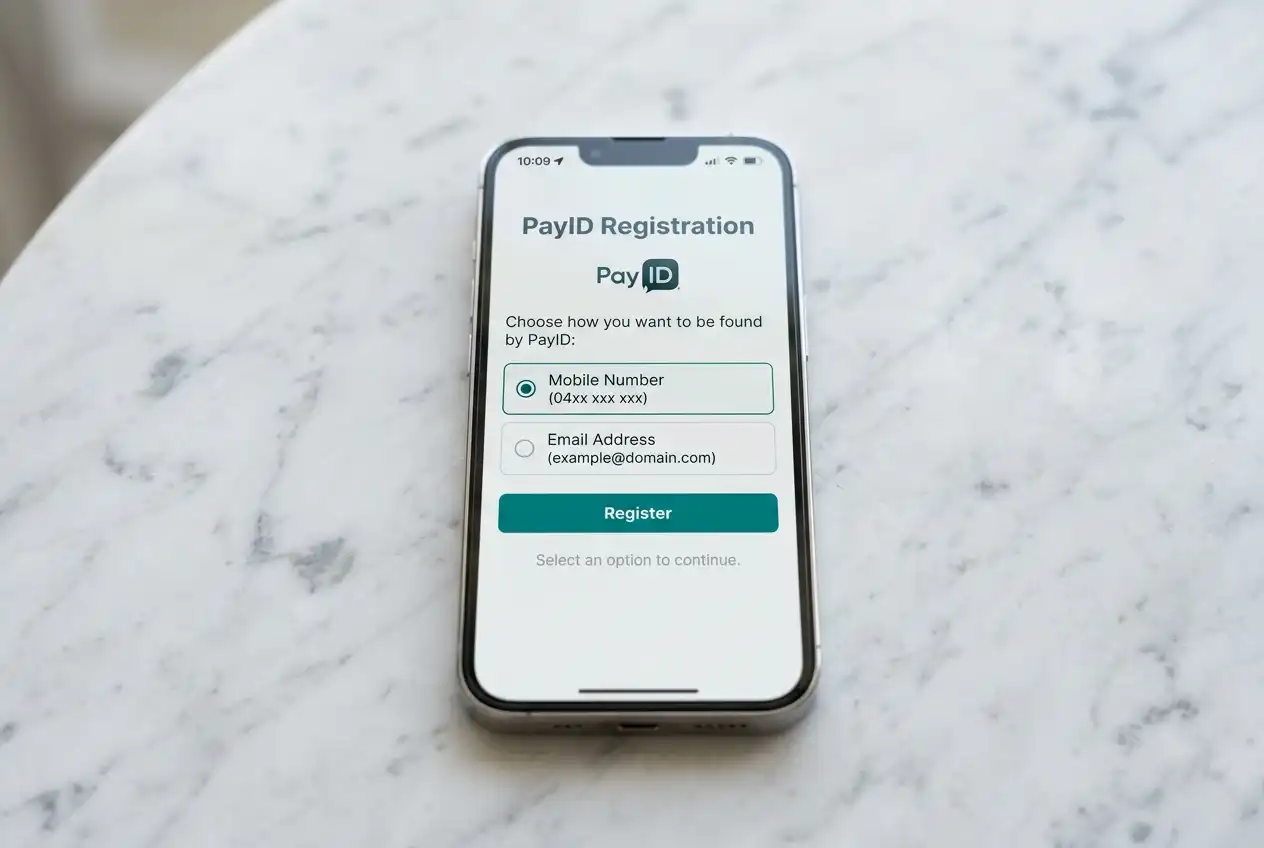
Second, make sure you have registered a PayID with your bank. A PayID is an alias — your mobile number, email address, ABN, or organisation identifier — linked to your bank account. Registration takes about sixty seconds in most banking apps: navigate to the payments or PayID section, choose your identifier type, and confirm. As of 2025, 128 million accounts are connected to send and receive payments through the NPP, but that does not mean every individual account holder has registered a PayID. The network supports you. The registration is your responsibility.
Third, confirm that your bank account has sufficient cleared funds. PayID payments are deducted immediately, and they cannot be funded by pending transfers, credit lines, or uncleared cheque deposits. The money needs to be available at the moment you authorise the transfer.
Fourth, check your bank’s daily transfer limits. Every bank sets a maximum daily amount for outbound PayID payments, and these limits vary significantly — from as low as AUD 1,000 per day at some institutions to AUD 10,000 or more at others. If your intended deposit exceeds your bank’s default limit, you will need to request a temporary or permanent increase before initiating the transfer. This is handled differently at each bank and is worth sorting out in advance rather than mid-deposit.
The Deposit Process — From Casino Cashier to Confirmed Balance
The mechanics of a PayID casino deposit are straightforward once you understand the flow. Every operator follows the same general sequence, though the interface design and terminology vary. Here is what actually happens at each step.
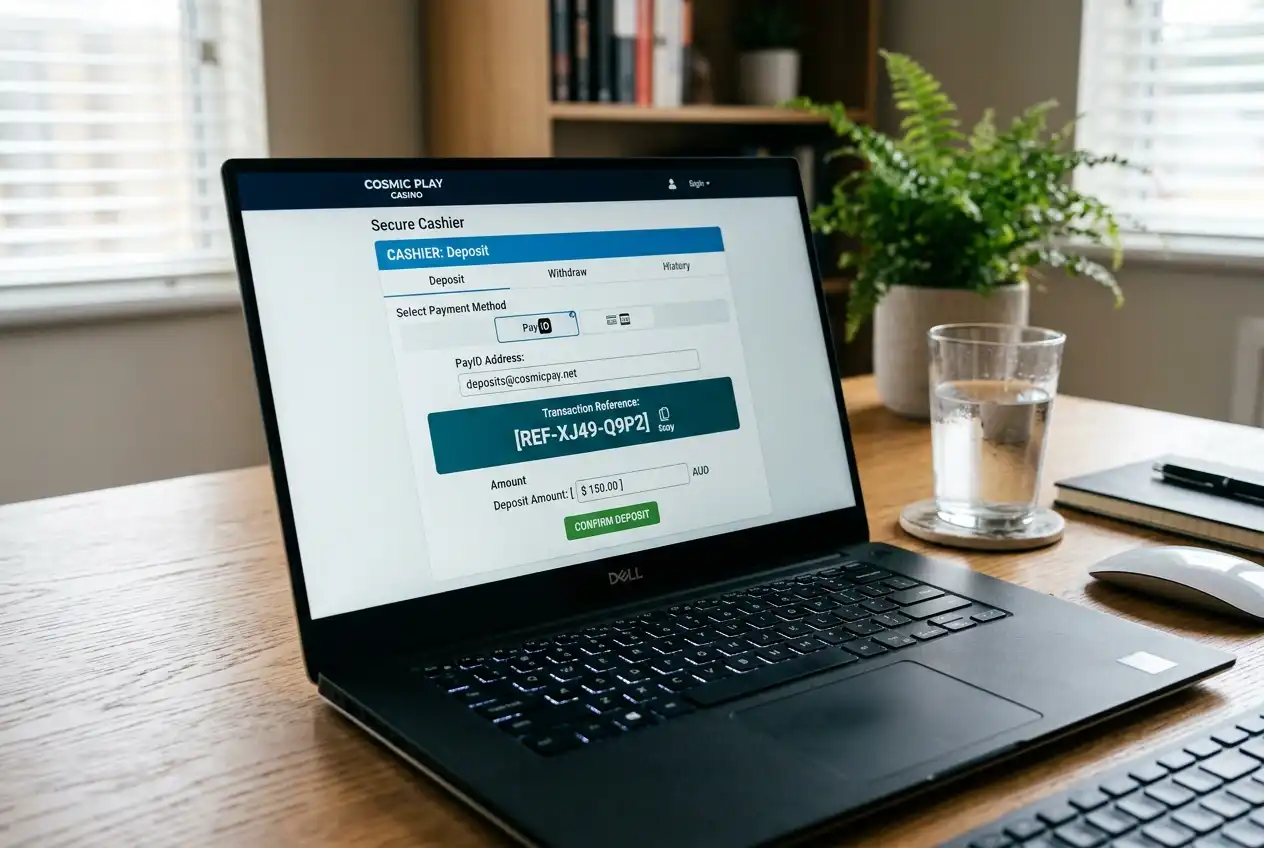
You start in the casino’s cashier or banking section — usually accessible from the main menu or account dashboard. Select PayID as your deposit method. The casino will generate a unique PayID address for your transaction. This is typically a phone number or email address format, and it is different from your own PayID. It belongs to the casino’s receiving account. Some operators assign a fixed PayID to your player account that you can reuse for every deposit. Others generate a new one per transaction. Either way, copy the PayID address exactly as displayed.
The casino will also display the deposit amount and, critically, a reference number or description that must be included with your payment. This reference links your bank transfer to your specific player account. Without it, the casino has no automated way to match the incoming funds to your balance. Some operators embed the reference in the PayID itself — for example, using a unique email address format like “[email protected]” — which eliminates the need for a separate reference. Others rely on the description field in your banking app. Pay attention to which method your operator uses.
Next, open your banking app or internet banking portal. Navigate to the “Pay Someone” or “Transfer” section and select PayID as the payment method. Enter the casino’s PayID address. Your bank will display the registered name associated with that PayID — this is a confirmation step built into the NPP to help prevent misdirected payments. Check that the name matches the casino or its payment processor. If the name displayed seems unrelated to the operator, stop and verify with the casino’s support team before proceeding.
Enter the deposit amount and include the reference number in the description or message field if required. Authorise the payment using your bank’s standard security process — PIN, biometric, or two-factor authentication.
The NPP processes the transaction in real time. More than 155 million transactions clear through the network every month, and the settlement window is measured in seconds, not minutes. Once your bank confirms the payment has been sent, the funds are in transit. Most casinos credit your account within one to five minutes of the NPP settlement. A handful take up to thirty minutes during peak periods if their payment reconciliation system processes incoming deposits in batches rather than in real time. Getting money back out is covered in withdrawal time.
If the deposit does not appear within thirty minutes, check three things: the PayID address you sent to (was it copied correctly?), the reference number (was it included and accurate?), and your bank’s transaction history (did the payment actually leave your account?). If the funds left your bank but have not arrived at the casino, contact the operator’s support team with your transaction receipt. The NPP provides instant settlement, so the money is already at the casino’s bank — the delay is on their internal reconciliation side.
Bank-Specific Instructions — CBA, Westpac, NAB, ANZ, and Digital Banks
The general deposit flow is the same at every bank, but the interface, the terminology, and the gotchas are different enough to trip you up if you are switching between institutions. I have made PayID deposits from accounts at all four major banks and several digital alternatives. Here is what I have learned about each.
Commonwealth Bank (CBA)
In the CommBank app, PayID payments are made through the standard “Pay someone” flow. Tap “Pay someone,” select “PayID” as the payment type, and enter the casino’s PayID address. CBA displays the recipient’s registered name — confirm this matches the casino or its payment provider. The description field is where you add the casino’s reference number. CBA’s default daily PayID transfer limit is AUD 2,000 for new payees, but this can be increased to AUD 20,000 or more through the app’s “Payment limits” settings. The increase may take up to 24 hours to activate, so adjust this before your first deposit, not during.
Westpac
Westpac’s app routes PayID payments through “Make a payment.” Enter the PayID address, confirm the recipient name, enter the amount and reference. Westpac’s default daily limit for PayID payments to new recipients is AUD 1,500. You can increase this through the app or by calling the bank. One quirk: Westpac’s app sometimes defaults to the “Account number/BSB” payment method. Make sure you explicitly select “PayID” — sending funds via BSB/account number to a PayID address will cause the payment to fail or route incorrectly.
NAB
NAB’s internet banking and app both support PayID under the “Payments” or “Transfer” section. Select “Pay to a PayID,” enter the address, confirm the registered name, and add the amount and reference. NAB’s default daily limit for new PayID payees is AUD 2,500. NAB is one of the banks that processes PayID name-check confirmations slightly differently — the recipient name appears only after you enter the PayID and tap “Next,” not as you type. Wait for this confirmation screen before proceeding.
ANZ
ANZ’s app handles PayID payments through “Move money” or “Pay anyone.” Select PayID, enter the address, and confirm. ANZ displays the recipient’s registered name as a verification step. The default daily limit varies by account type but typically starts at AUD 1,000 for new PayID recipients. ANZ also requires a brief cooling-off period for first-time PayID payments to new recipients — usually a few hours — during which the payment may show as “pending.” This is a fraud-prevention measure, not a banking network delay. Subsequent payments to the same PayID clear immediately.
Digital Banks — Up, ING, Macquarie, Bendigo
Digital banks and neobanks generally offer a smoother PayID experience because their apps were built with the NPP in mind from the start. Up Bank, for example, integrates PayID into its standard payment flow without requiring you to select between BSB and PayID — it auto-detects the format. ING’s app supports PayID through “Pay anyone” and typically offers higher default daily limits than the Big Four. Macquarie and Bendigo follow similar patterns. For a full breakdown of which institutions support PayID for casino transactions, including credit unions and smaller players, there is a detailed bank-by-bank guide covering compatibility and restrictions.
Lynn Kraus, CEO of Australian Payments Plus, has noted that real-time payments have become part of everyday life in Australia, with one in three payments now processed via the NPP. The infrastructure is not the constraint. What differs is how each bank’s interface presents the PayID payment flow — and getting familiar with your bank’s specific layout before your first casino deposit saves time and prevents errors.
Minimum Deposit Amounts and How They Vary Across Casinos
Here is something that surprised me early in my testing: the minimum deposit at a PayID casino is not a single number. It is the higher of two independent thresholds — the casino’s minimum and the bank’s minimum — and they rarely match.
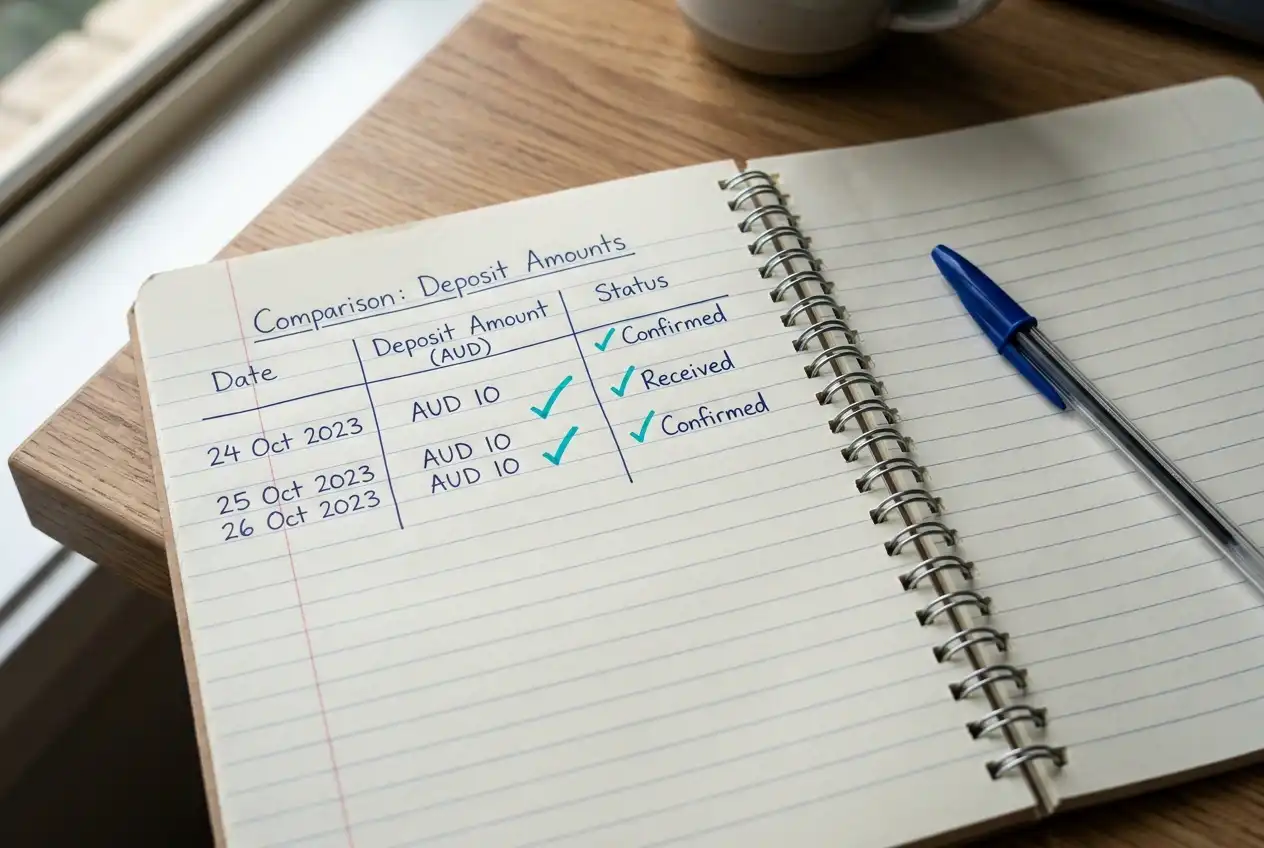
On the casino side, minimum PayID deposit amounts typically range from AUD 10 to AUD 30. AUD 20 is the most common floor I have encountered, though some operators set it as low as AUD 10 and others at AUD 30. This is a business decision by the operator, influenced by payment processing costs, bonus structures, and target player demographics. The casino publishes this figure in its banking terms, though it is not always prominently displayed on the deposit page itself.
On the bank side, the minimum outbound PayID transfer at most Australian financial institutions is AUD 0.01 — there is technically no practical floor for the NPP. The wholesale cost of an NPP transaction has dropped from AUD 0.39 in 2019 to roughly AUD 0.04 by FY25, which means banks have little incentive to impose minimums on individual transfers. In practice, though, the casino’s threshold is what matters. If the casino requires a minimum deposit of AUD 20 and your bank allows a minimum transfer of AUD 0.01, you still need to send at least AUD 20.
There is a secondary complication worth knowing about. Some casinos set different minimums depending on the deposit method. An operator might accept AUD 10 minimum for cryptocurrency deposits but require AUD 20 for PayID, or vice versa. If the minimum for your preferred method seems higher than expected, check whether other payment options have a different threshold before assuming you are stuck with the higher figure.
One more detail: bonus eligibility often has its own minimum deposit requirement, and it is frequently higher than the base deposit minimum. A casino might accept a AUD 10 PayID deposit but require AUD 20 or AUD 30 to qualify for a welcome package. The deposit minimum and the bonus-qualifying minimum are separate numbers. Conflating them is a common source of player frustration, and operators do not always make the distinction clear on the deposit page.
Common Deposit Errors and How to Fix Them
In nine years of testing casino payment flows, I have catalogued the same deposit errors appearing over and over. Every one of them is avoidable, and every one of them costs time to resolve.
Missing or incorrect reference number. This is the single most common deposit failure. The casino provides a reference code that links your payment to your player account. If you omit it from the description field, or type it incorrectly, the funds arrive at the casino’s bank account but cannot be automatically matched to your balance. Resolution requires contacting support, providing your bank’s transaction receipt, and waiting for the finance team to manually reconcile the payment. I have seen this take anywhere from two hours to two business days.
Sending to the wrong PayID. PayID addresses are often phone numbers or email addresses. A single wrong digit in a phone number or a typo in an email sends your funds to a completely different recipient. The NPP includes a name-check confirmation step — your banking app displays the registered name of the PayID before you authorise the payment. If the name does not match the casino, do not proceed. This confirmation exists precisely to prevent misdirected payments, but it only works if you actually read it. Among registered PayID users, 47% use the system at least weekly, and the name-check step has become so routine that many people tap through it without looking.
Exceeding your bank’s daily transfer limit. If your deposit amount is above your bank’s default PayID limit, the payment will be declined at the bank level before it ever reaches the NPP. The casino will show no incoming transaction, and your bank may or may not provide a clear error message. The fix is simple — increase your daily limit in your banking app before attempting the deposit — but the issue is confusing if you do not realise your bank imposes a cap.
Using a non-NPP-connected account. Certain account types — particularly older savings accounts, some term deposits, and specific business account structures — are not connected to the NPP. If you attempt a PayID payment from one of these accounts, the transaction will fail. Check your account’s NPP eligibility before your first deposit.
Depositing below the casino’s minimum. If you send an amount below the operator’s stated minimum deposit, the payment may be accepted by the casino’s bank but not credited to your player account. The funds sit in limbo until you contact support to either apply them to your balance (if the operator allows it) or request a return transfer. This is more annoying than serious, but it wastes time.
Depositing from a different name. PayID displays the sender’s registered name to the receiving institution. If your PayID is registered under a name that does not match your casino account — a partner’s account, a nickname, or a business name — some operators will flag the deposit for manual review or reject it outright. AML regulations require operators to verify that the source of funds matches the account holder, and a name mismatch is a compliance red flag.
Depositing Via Mobile Banking Apps
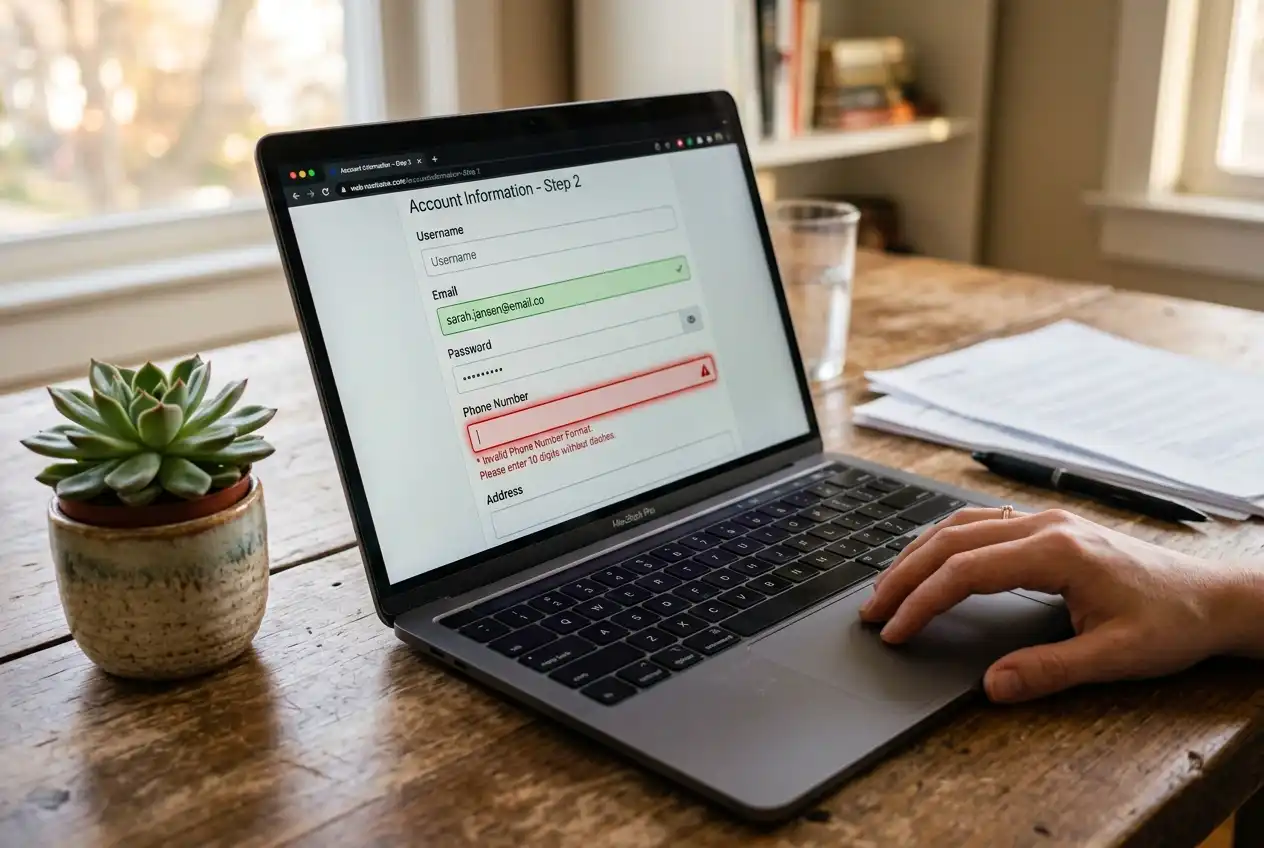
In Australia, 44% of in-person card transactions are now processed through mobile wallets like Apple Pay, Google Pay, and Samsung Pay. Mobile banking is not a secondary channel — it is how most Australians interact with their money. The PayID casino deposit process works identically on mobile as it does on desktop internet banking, but the smaller screen introduces a few practical considerations worth noting.
The main advantage of depositing via mobile is speed of context-switching. You open the casino in your mobile browser, copy the PayID address, switch to your banking app, paste the address, confirm the recipient name, enter the amount and reference, authorise with your fingerprint or face ID, and switch back to the casino. The entire flow takes under two minutes if you have done it before. There is no need to download a separate app — the casino’s mobile site provides the PayID details, and your banking app handles the payment.
The risk is also speed-related. On a small screen, it is easier to mis-copy a PayID address, especially phone number formats where a single digit can go wrong. Double-check the recipient name confirmation your banking app shows. It is the single most reliable safeguard against misdirected payments, and it works the same on mobile as it does on desktop.
One practical tip: if the casino provides the PayID as a phone number, use your phone’s copy-paste function rather than trying to memorise and retype it. If the casino displays it as a QR code (some newer operators do), most banking apps can scan the code directly from the payments screen. Both approaches eliminate the transcription errors that account for a disproportionate share of failed mobile deposits.

FAQ
Pokies
Best Online Pokies for Real Money in Australia
Understand game terms, legal limits, payment checks and bonus conditions before choosing an online pokies platform. What “Pokies” Actually Means—and What It Does Not Tell You In Australia, “pokies” is…
Best Pokies in Sydney: Venues, RTP and Opening Hours
A practical look at venues, legal context, machine limits, RTP and late-night…
Best Relax Gaming Online Casinos in Australia
A practical guide to RNG outcomes, game features, casino terms, mobile play…
Best RTG Casinos in Australia: What to Check
A practical look at the RTG network, its casino brands, slot catalogue,…
Prepared by the PayEdge editorial staff.